Documentation: Link is not working #99
Labels
No labels
📓 docs
🎮 gaming
bug
cicd
dependencies
duplicate
enhancement
github_actions
good first issue
help wanted
invalid
neovim
package_management
python
question
vim
wontfix
⏰ Cron
🍎 macOS
🐧 Linux
🐳 docker
🔒 infosec
🚧 larger project
🤷 let's chat about it
No milestone
No project
No assignees
1 participant

Notifications
Due date
No due date set.
Dependencies
No dependencies set.
Reference
jessebot/onboardme#99
Loading…
Add table
Add a link
Reference in a new issue
No description provided.
Delete branch "%!s()"
Deleting a branch is permanent. Although the deleted branch may continue to exist for a short time before it actually gets removed, it CANNOT be undone in most cases. Continue?
In documentation onboardme/ Getting Started/ Installation at bottom the Quickstart link is not working https://jessebot.github.io/onboardme/getting-started#quickstart
Thank you for pointing this out!
So, it looks like the quickstart docs are now in this location (but I forgot to update the hyper link):
https://jessebot.github.io/onboardme/onboardme/getting-started
So to fix this, we need to take a look at the code which, in this case, is here:
https://github.com/jessebot/onboardme/blob/main/docs/onboardme/installation.md
If you want to view the source of that markdown file on github, you can click this button:
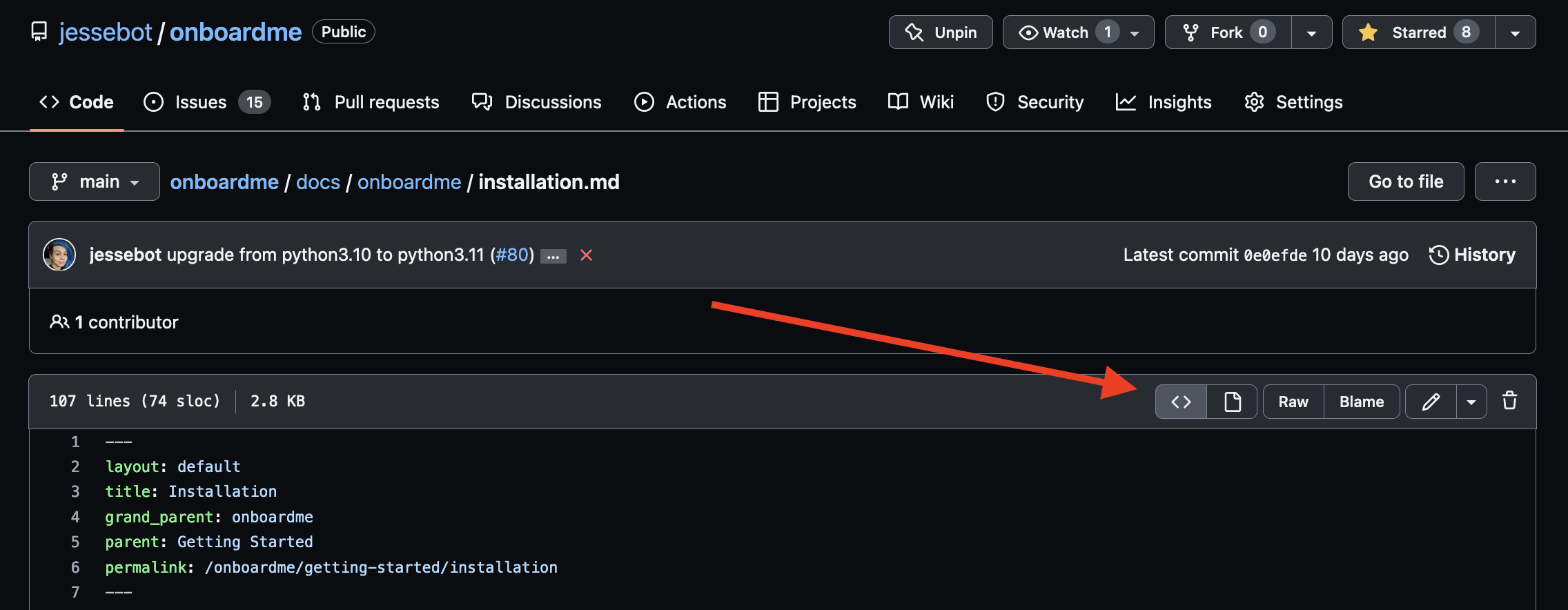
Find the link at the bottom that is wrong, and then open a pull request to fix it. When you open that pull request, you can link it to this issue by referencing the issue number with the syntax
#99in the pull request description. If you need help forking the repo or anything, please let me know, and I'll get you some more getting started info :)Congrats on your first issue here 🎉
Great job getting this done, @Mahadsid! Your first commit on
onboardme!