snap command not available after installation via apt on Debian #98

Closed
opened 2022-11-26 14:06:28 +00:00 by jessebot · 8 comments
jessebot commented 2022-11-26 14:06:28 +00:00 (Migrated from github.com)

Pretty sure this is related to this bit:

Either log out and back in again, or restart your system, to ensure snap’s paths are updated correctly.

source: snapcraft.io

I hate that.

Pretty sure this is related to this bit: > **Either log out and back in again, or restart your system, to ensure snap’s paths are updated correctly.** source: [snapcraft.io](https://snapcraft.io/docs/installing-snap-on-debian) I hate that.
Mahadsid commented 2022-11-26 14:09:07 +00:00 (Migrated from github.com)

Hello Sorry for commenting here but i am new to open source can you guide me how to contribute to projects and how to work on them?

Hello Sorry for commenting here but i am new to open source can you guide me how to contribute to projects and how to work on them?
jessebot commented 2022-11-26 14:34:46 +00:00 (Migrated from github.com)

Sure, what do you want to know? You seem to have a good repo starred already. Is there something you'd like to help with? In general, if you see an issue with the tag "good first issue" it's probably good one to comment on and help others with. This project is for onboardme which is a command line tool for installing packages and your personal dot files (these are files that begin with . in your home folder or directory on your computer. It also helps with a few other little things around python development. I currently only support macOS and Debian based operating systems such as Debian and Ubuntu. Some of this should still work on windows, but only with the WSL backend installed. Much of this might work on other Linux distributions, but I haven't tested them.

If you are running on a mac or use Linux, and want to help out on this project specifically, you can start by reading my documentation here:
https://jessebot.github.io/onboardme/onboardme/getting-started/installation

Go through the installation, and then the quick start linked at the bottom. After you are done, let me know if there's anything that's broken or didn't work, by opening up a github issue in this project. If there's nothing broken, you can take a look at the other issues here, and ask how you can help out.

This specific github issue is for tracking down why the snap command was failing, but I'm actively about to commit a fix. If you know Python, I can add you as a reviewer on the PR when it's done, and you can take a look and see if anything is broken.

You can also check out other issues in this repo and see if there's anything you can do. Always happen to answer questions. Just try to be specific about what you want to help with :)

Sure, what do you want to know? You seem to have a good repo starred already. Is there something you'd like to help with? In general, if you see an issue with the tag "good first issue" it's probably good one to comment on and help others with. This project is for `onboardme` which is a command line tool for installing packages and your personal dot files (these are files that begin with `.` in your home folder or directory on your computer. It also helps with a few other little things around python development. I currently only support macOS and Debian based operating systems such as Debian and Ubuntu. Some of this should still work on windows, but only with the WSL backend installed. Much of this might work on other Linux distributions, but I haven't tested them. If you are running on a mac or use Linux, and want to help out on this project specifically, you can start by reading my documentation here: https://jessebot.github.io/onboardme/onboardme/getting-started/installation Go through the installation, and then the quick start linked at the bottom. After you are done, let me know if there's anything that's broken or didn't work, by opening up a github issue in this project. If there's nothing broken, you can take a look at the other issues here, and ask how you can help out. This specific github issue is for tracking down why the `snap` command was failing, but I'm actively about to commit a fix. If you know Python, I can add you as a reviewer on the PR when it's done, and you can take a look and see if anything is broken. You can also check out other issues in this repo and see if there's anything you can do. Always happen to answer questions. Just try to be specific about what you want to help with :)
jessebot commented 2022-11-26 14:37:39 +00:00 (Migrated from github.com)

Oh, this project also helps setup vim or neovim as your IDE, and includes some docs on what on those are here (including what an IDE is):
https://jessebot.github.io/onboardme/vim

Oh, this project also helps setup vim or neovim as your IDE, and includes some docs on what on those are here (including what an IDE is): https://jessebot.github.io/onboardme/vim
Mahadsid commented 2022-11-26 14:52:05 +00:00 (Migrated from github.com)

Thanks for the brief reply, I use WSL2 and I'll install OnBoardMe and look into it and yes I do know python please add me as a reviewer that would be great, I'll check other issues and please let me know if you think I can help with something.
Thanks once again

Thanks for the brief reply, I use WSL2 and I'll install OnBoardMe and look into it and yes I do know python please add me as a reviewer that would be great, I'll check other issues and please let me know if you think I can help with something. Thanks once again
Mahadsid commented 2022-11-26 15:03:53 +00:00 (Migrated from github.com)

The quick start linked at the bottom in installation page is not working.

The quick start linked at the bottom in installation page is not working.
jessebot commented 2022-11-26 15:06:48 +00:00 (Migrated from github.com)

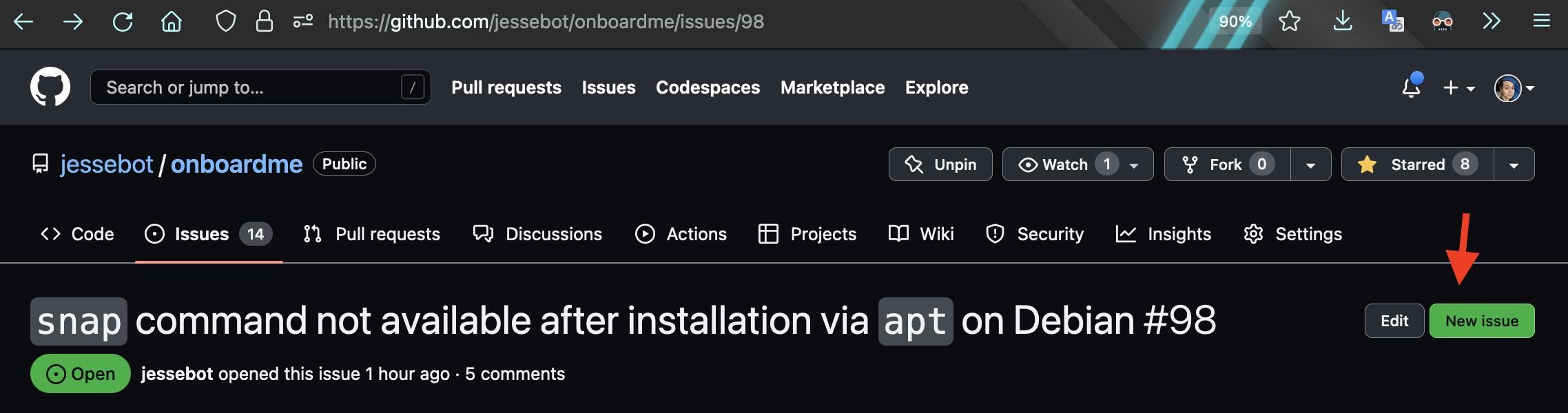
Great! You found your first issue :) Please open a github issue in this project using this button:
Screenshot 2022-11-26 at 16 05 08

Have the title be something descriptive like "documentation link is broken" and in the description, add what link isn't working on what page :)

Great! You found your first issue :) Please open a github issue in this project using this button: <img width="1138" alt="Screenshot 2022-11-26 at 16 05 08" src="https://user-images.githubusercontent.com/2389292/204095536-68d986b3-def3-43d8-ba33-5eac2634a0b7.png"> Have the title be something descriptive like "documentation link is broken" and in the description, add what link isn't working on what page :)
jessebot commented 2022-11-26 15:43:42 +00:00 (Migrated from github.com)

test build for the fix for this snap issue is published to pypi under version. It can be installed with:

pip install onboardme==0.15.8a0

Thanks, @cloudymax for finding the bug.

test build for the fix for this snap issue is published to pypi under version. It can be installed with: ```bash pip install onboardme==0.15.8a0 ``` Thanks, @cloudymax for finding the bug.
cloudymax commented 2022-11-27 08:49:17 +00:00 (Migrated from github.com)

Hoi @Jessebot thanks for tagging me in 😄 - and a warm welcome to @Mahadsid as well 👋

Here are the steps I took to test this:

  1. I rebuilt the containers using

    docker build -t onboardme-base . -f Dockerfile.brew && \
    docker build -t onboardme-setup . -f Dockerfile.setup
    
    docker run -it onboardme-setup 
    
  2. Checked the built container version

    root@9e9af246a373:/onboardme# onboardme --version
    🎉 v0.15.7
    root@9e9af246a373:/onboardme#
    
  3. I Validated the bug is present for version 0.15.7

    ─────────────────────────────────── 🫰  snap app Installs ────────────────────────────────────
    
                                     Upgrade completed.
    Traceback (most recent call last):
      File "/home/linuxbrew/.linuxbrew/bin/onboardme", line 8, in <module>
    sys.exit(main())
             ^^^^^^
    File "/home/linuxbrew/.linuxbrew/opt/python@3.11/lib/python3.11/site-packages/click/core.py", line 1130, in __call__
    return self.main(*args, **kwargs)
           ^^^^^^^^^^^^^^^^^^^^^^^^^^
    File "/home/linuxbrew/.linuxbrew/opt/python@3.11/lib/python3.11/site-packages/click/core.py", line 1055, in main
    rv = self.invoke(ctx)
         ^^^^^^^^^^^^^^^^
    File "/home/linuxbrew/.linuxbrew/opt/python@3.11/lib/python3.11/site-packages/click/core.py", line 1404, in invoke
    return ctx.invoke(self.callback, **ctx.params)
           ^^^^^^^^^^^^^^^^^^^^^^^^^^^^^^^^^^^^^^^
    File "/home/linuxbrew/.linuxbrew/opt/python@3.11/lib/python3.11/site-packages/click/core.py", line 760, in invoke
    return __callback(*args, **kwargs)
           ^^^^^^^^^^^^^^^^^^^^^^^^^^^
    File "/home/linuxbrew/.linuxbrew/opt/python@3.11/lib/python3.11/site-packages/onboardme/__init__.py", line 147, in main
    run_pkg_mngrs(pkg_mngrs, pkg_groups)
    File "/home/linuxbrew/.linuxbrew/opt/python@3.11/lib/python3.11/site-packages/onboardme/pkg_management.py", line 80, in run_pkg_mngrs
    list_pkgs = subproc([pkg_cmds['list']], quiet=True)
                ^^^^^^^^^^^^^^^^^^^^^^^^^^^^^^^^^^^^^^^
    File "/home/linuxbrew/.linuxbrew/opt/python@3.11/lib/python3.11/site-packages/onboardme/subproc.py", line 41, in subproc
    output = run_subprocess(command, **kwargs)
             ^^^^^^^^^^^^^^^^^^^^^^^^^^^^^^^^^
    File "/home/linuxbrew/.linuxbrew/opt/python@3.11/lib/python3.11/site-packages/onboardme/subproc.py", line 74, in run_subprocess
    p = Popen(cmd, stdout=PIPE, stderr=PIPE, **kwargs)
        ^^^^^^^^^^^^^^^^^^^^^^^^^^^^^^^^^^^^^^^^^^^^^^
    File "/home/linuxbrew/.linuxbrew/opt/python@3.11/lib/python3.11/subprocess.py", line 1022, in __init__
    self._execute_child(args, executable, preexec_fn, close_fds,
    File "/home/linuxbrew/.linuxbrew/opt/python@3.11/lib/python3.11/subprocess.py", line 1899, in _execute_child
    raise child_exception_type(errno_num, err_msg, err_filename)
    FileNotFoundError: [Errno 2] No such file or directory: 'snap'
    
  4. I now update the container to the new version

    root@9e9af246a373:/onboardme# pip3.11 install onboardme==0.15.8a0
    Collecting onboardme==0.15.8a0
    Downloading onboardme-0.15.8a0-py3-none-any.whl (45 kB)
     ━━━━━━━━━━━━━━━━━━━━━━━━━━━━━━━━━━━━━━━━ 45.9/45.9 kB 7.5 MB/s eta 0:00:00
    Requirement already satisfied: GitPython<4.0.0,>=3.1.29 in /home/linuxbrew/.linuxbrew/opt/python@3.11/lib/python3.11/site-packages (from onboardme==0.15.8a0) (3.1.29)
    Requirement already satisfied: PyYAML<7.0,>=6.0 in /home/linuxbrew/.linuxbrew/opt/python@3.11/lib/python3.11/site-packages (from onboardme==0.15.8a0) (6.0)
    Requirement already satisfied: click<9.0.0,>=8.1.3 in /home/linuxbrew/.linuxbrew/opt/python@3.11/lib/python3.11/site-packages (from onboardme==0.15.8a0) (8.1.3)
    Requirement already satisfied: rich<13.0.0,>=12.6.0 in /home/linuxbrew/.linuxbrew/opt/python@3.11/lib/python3.11/site-packages (from onboardme==0.15.8a0) (12.6.0)
    Requirement already satisfied: wget<4.0,>=3.2 in /home/linuxbrew/.linuxbrew/opt/python@3.11/lib/python3.11/site-packages (from onboardme==0.15.8a0) (3.2)
    Requirement already satisfied: gitdb<5,>=4.0.1 in /home/linuxbrew/.linuxbrew/opt/python@3.11/lib/python3.11/site-packages (from GitPython<4.0.0,>=3.1.29->onboardme==0.15.8a0) (4.0.10)
    Requirement already satisfied: commonmark<0.10.0,>=0.9.0 in /home/linuxbrew/.linuxbrew/opt/python@3.11/lib/python3.11/site-packages (from rich<13.0.0,>=12.6.0->onboardme==0.15.8a0) (0.9.1)
    Requirement already satisfied: pygments<3.0.0,>=2.6.0 in /home/linuxbrew/.linuxbrew/opt/python@3.11/lib/python3.11/site-packages (from rich<13.0.0,>=12.6.0->onboardme==0.15.8a0) (2.13.0)
    Requirement already satisfied: smmap<6,>=3.0.1 in /home/linuxbrew/.linuxbrew/opt/python@3.11/lib/python3.11/site-packages (from gitdb<5,>=4.0.1->GitPython<4.0.0,>=3.1.29->onboardme==0.15.8a0) (5.0.0)
    Installing collected packages: onboardme
    Attempting uninstall: onboardme
    Found existing installation: onboardme 0.15.7
    Uninstalling onboardme-0.15.7:
      Successfully uninstalled onboardme-0.15.7
    Successfully installed onboardme-0.15.8a0
    WARNING: Running pip as the 'root' user can result in broken permissions and conflicting behaviour with the system package manager. It is recommended to use a virtual environment instead: https://pip.pypa.io/warnings/venv
    [notice] A new release of pip available: 22.3 -> 22.3.1
    [notice] To update, run: python3.11 -m pip install --upgrade pip
    
  5. I then re-ran onboardme and was able to validate that the snap section was indeed skipped

    ──────────────────────────────────── 🙃 apt app Installs ────────────────────────────────────
    
                                      Update completed.
    
                                     Upgrade completed.
    
                                 Default packages installed.
    
                                   Cleanup step Completed.
    
    ─────────────────────────────────── 📝 font installations ───────────────────────────────────
                           Downloading installer and font sets...
    The fonts should be installed, however, you have to set your terminal font to the new font. I
                                        rebooted too.


The script did end up failing on YouCompleteMe, but I believe that's due to the fact the container is running as root and no as a user with an actual home directory. I've opened an Issue for that here and will take a look at making to changes necessary to the dockerfile.

    FileNotFoundError: [Errno 2] No such file or directory: '/root/.vim/plugged/YouCompleteMe'
Hoi @Jessebot thanks for tagging me in 😄 - and a warm welcome to @Mahadsid as well 👋 Here are the steps I took to test this: 1. I rebuilt the containers using ```bash docker build -t onboardme-base . -f Dockerfile.brew && \ docker build -t onboardme-setup . -f Dockerfile.setup docker run -it onboardme-setup ``` 2. Checked the built container version ```bash root@9e9af246a373:/onboardme# onboardme --version 🎉 v0.15.7 root@9e9af246a373:/onboardme# ``` 3. I Validated the bug is present for version 0.15.7 ```bash ─────────────────────────────────── 🫰 snap app Installs ──────────────────────────────────── Upgrade completed. Traceback (most recent call last): File "/home/linuxbrew/.linuxbrew/bin/onboardme", line 8, in <module> sys.exit(main()) ^^^^^^ File "/home/linuxbrew/.linuxbrew/opt/python@3.11/lib/python3.11/site-packages/click/core.py", line 1130, in __call__ return self.main(*args, **kwargs) ^^^^^^^^^^^^^^^^^^^^^^^^^^ File "/home/linuxbrew/.linuxbrew/opt/python@3.11/lib/python3.11/site-packages/click/core.py", line 1055, in main rv = self.invoke(ctx) ^^^^^^^^^^^^^^^^ File "/home/linuxbrew/.linuxbrew/opt/python@3.11/lib/python3.11/site-packages/click/core.py", line 1404, in invoke return ctx.invoke(self.callback, **ctx.params) ^^^^^^^^^^^^^^^^^^^^^^^^^^^^^^^^^^^^^^^ File "/home/linuxbrew/.linuxbrew/opt/python@3.11/lib/python3.11/site-packages/click/core.py", line 760, in invoke return __callback(*args, **kwargs) ^^^^^^^^^^^^^^^^^^^^^^^^^^^ File "/home/linuxbrew/.linuxbrew/opt/python@3.11/lib/python3.11/site-packages/onboardme/__init__.py", line 147, in main run_pkg_mngrs(pkg_mngrs, pkg_groups) File "/home/linuxbrew/.linuxbrew/opt/python@3.11/lib/python3.11/site-packages/onboardme/pkg_management.py", line 80, in run_pkg_mngrs list_pkgs = subproc([pkg_cmds['list']], quiet=True) ^^^^^^^^^^^^^^^^^^^^^^^^^^^^^^^^^^^^^^^ File "/home/linuxbrew/.linuxbrew/opt/python@3.11/lib/python3.11/site-packages/onboardme/subproc.py", line 41, in subproc output = run_subprocess(command, **kwargs) ^^^^^^^^^^^^^^^^^^^^^^^^^^^^^^^^^ File "/home/linuxbrew/.linuxbrew/opt/python@3.11/lib/python3.11/site-packages/onboardme/subproc.py", line 74, in run_subprocess p = Popen(cmd, stdout=PIPE, stderr=PIPE, **kwargs) ^^^^^^^^^^^^^^^^^^^^^^^^^^^^^^^^^^^^^^^^^^^^^^ File "/home/linuxbrew/.linuxbrew/opt/python@3.11/lib/python3.11/subprocess.py", line 1022, in __init__ self._execute_child(args, executable, preexec_fn, close_fds, File "/home/linuxbrew/.linuxbrew/opt/python@3.11/lib/python3.11/subprocess.py", line 1899, in _execute_child raise child_exception_type(errno_num, err_msg, err_filename) FileNotFoundError: [Errno 2] No such file or directory: 'snap' ``` 4. I now update the container to the new version ```bash root@9e9af246a373:/onboardme# pip3.11 install onboardme==0.15.8a0 Collecting onboardme==0.15.8a0 Downloading onboardme-0.15.8a0-py3-none-any.whl (45 kB) ━━━━━━━━━━━━━━━━━━━━━━━━━━━━━━━━━━━━━━━━ 45.9/45.9 kB 7.5 MB/s eta 0:00:00 Requirement already satisfied: GitPython<4.0.0,>=3.1.29 in /home/linuxbrew/.linuxbrew/opt/python@3.11/lib/python3.11/site-packages (from onboardme==0.15.8a0) (3.1.29) Requirement already satisfied: PyYAML<7.0,>=6.0 in /home/linuxbrew/.linuxbrew/opt/python@3.11/lib/python3.11/site-packages (from onboardme==0.15.8a0) (6.0) Requirement already satisfied: click<9.0.0,>=8.1.3 in /home/linuxbrew/.linuxbrew/opt/python@3.11/lib/python3.11/site-packages (from onboardme==0.15.8a0) (8.1.3) Requirement already satisfied: rich<13.0.0,>=12.6.0 in /home/linuxbrew/.linuxbrew/opt/python@3.11/lib/python3.11/site-packages (from onboardme==0.15.8a0) (12.6.0) Requirement already satisfied: wget<4.0,>=3.2 in /home/linuxbrew/.linuxbrew/opt/python@3.11/lib/python3.11/site-packages (from onboardme==0.15.8a0) (3.2) Requirement already satisfied: gitdb<5,>=4.0.1 in /home/linuxbrew/.linuxbrew/opt/python@3.11/lib/python3.11/site-packages (from GitPython<4.0.0,>=3.1.29->onboardme==0.15.8a0) (4.0.10) Requirement already satisfied: commonmark<0.10.0,>=0.9.0 in /home/linuxbrew/.linuxbrew/opt/python@3.11/lib/python3.11/site-packages (from rich<13.0.0,>=12.6.0->onboardme==0.15.8a0) (0.9.1) Requirement already satisfied: pygments<3.0.0,>=2.6.0 in /home/linuxbrew/.linuxbrew/opt/python@3.11/lib/python3.11/site-packages (from rich<13.0.0,>=12.6.0->onboardme==0.15.8a0) (2.13.0) Requirement already satisfied: smmap<6,>=3.0.1 in /home/linuxbrew/.linuxbrew/opt/python@3.11/lib/python3.11/site-packages (from gitdb<5,>=4.0.1->GitPython<4.0.0,>=3.1.29->onboardme==0.15.8a0) (5.0.0) Installing collected packages: onboardme Attempting uninstall: onboardme Found existing installation: onboardme 0.15.7 Uninstalling onboardme-0.15.7: Successfully uninstalled onboardme-0.15.7 Successfully installed onboardme-0.15.8a0 WARNING: Running pip as the 'root' user can result in broken permissions and conflicting behaviour with the system package manager. It is recommended to use a virtual environment instead: https://pip.pypa.io/warnings/venv [notice] A new release of pip available: 22.3 -> 22.3.1 [notice] To update, run: python3.11 -m pip install --upgrade pip ``` 5. I then re-ran `onboardme` and was able to validate that the `snap` section was indeed skipped ```bash ──────────────────────────────────── 🙃 apt app Installs ──────────────────────────────────── Update completed. Upgrade completed. Default packages installed. Cleanup step Completed. ─────────────────────────────────── 📝 font installations ─────────────────────────────────── Downloading installer and font sets... The fonts should be installed, however, you have to set your terminal font to the new font. I rebooted too. ``` The script did end up failing on YouCompleteMe, but I believe that's due to the fact the container is running as root and no as a user with an actual home directory. I've opened an Issue for that [here](https://github.com/jessebot/onboardme/issues/104) and will take a look at making to changes necessary to the dockerfile. ```bash FileNotFoundError: [Errno 2] No such file or directory: '/root/.vim/plugged/YouCompleteMe' ```
Sign in to join this conversation.
No milestone
No project
No assignees
1 participant

Notifications
Due date
The due date is invalid or out of range. Please use the format "yyyy-mm-dd".

No due date set.

Dependencies

No dependencies set.

Reference
jessebot/onboardme#98
No description provided.